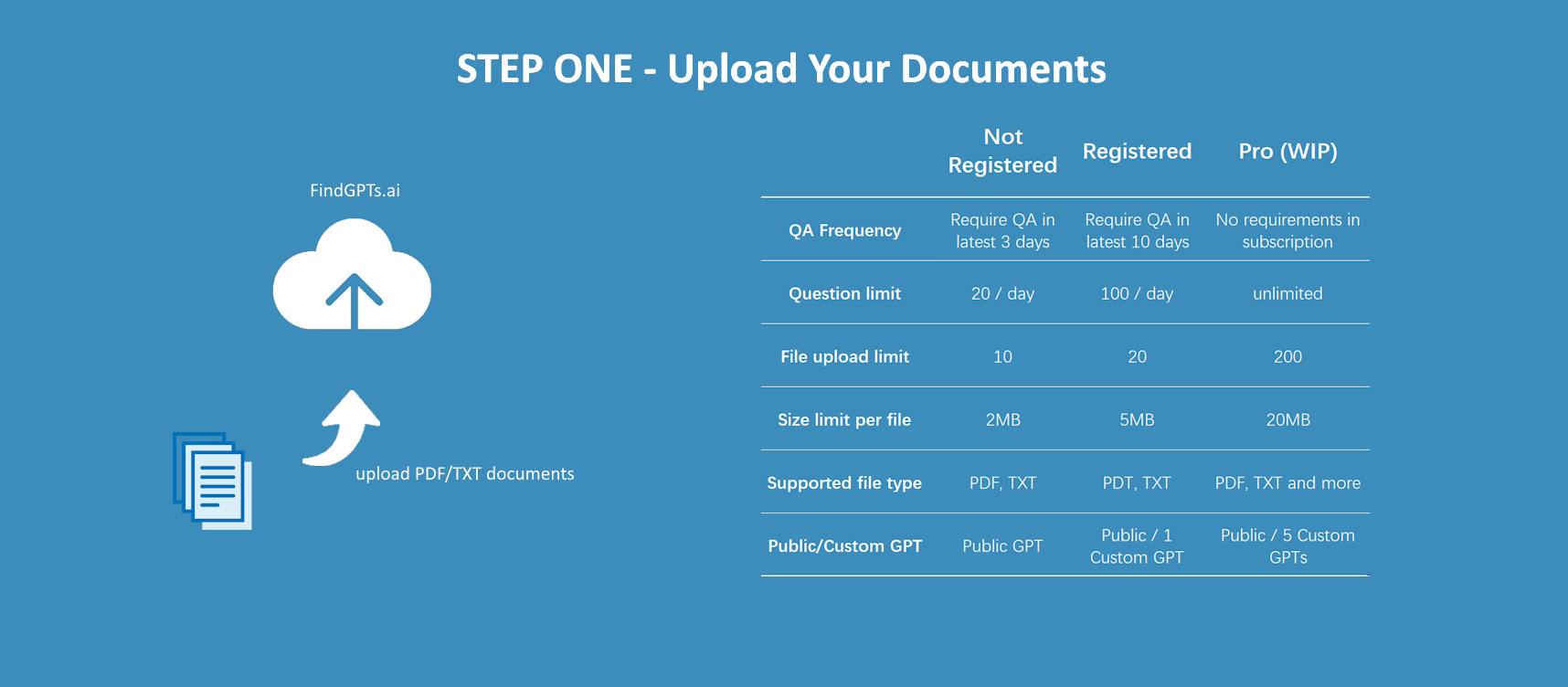
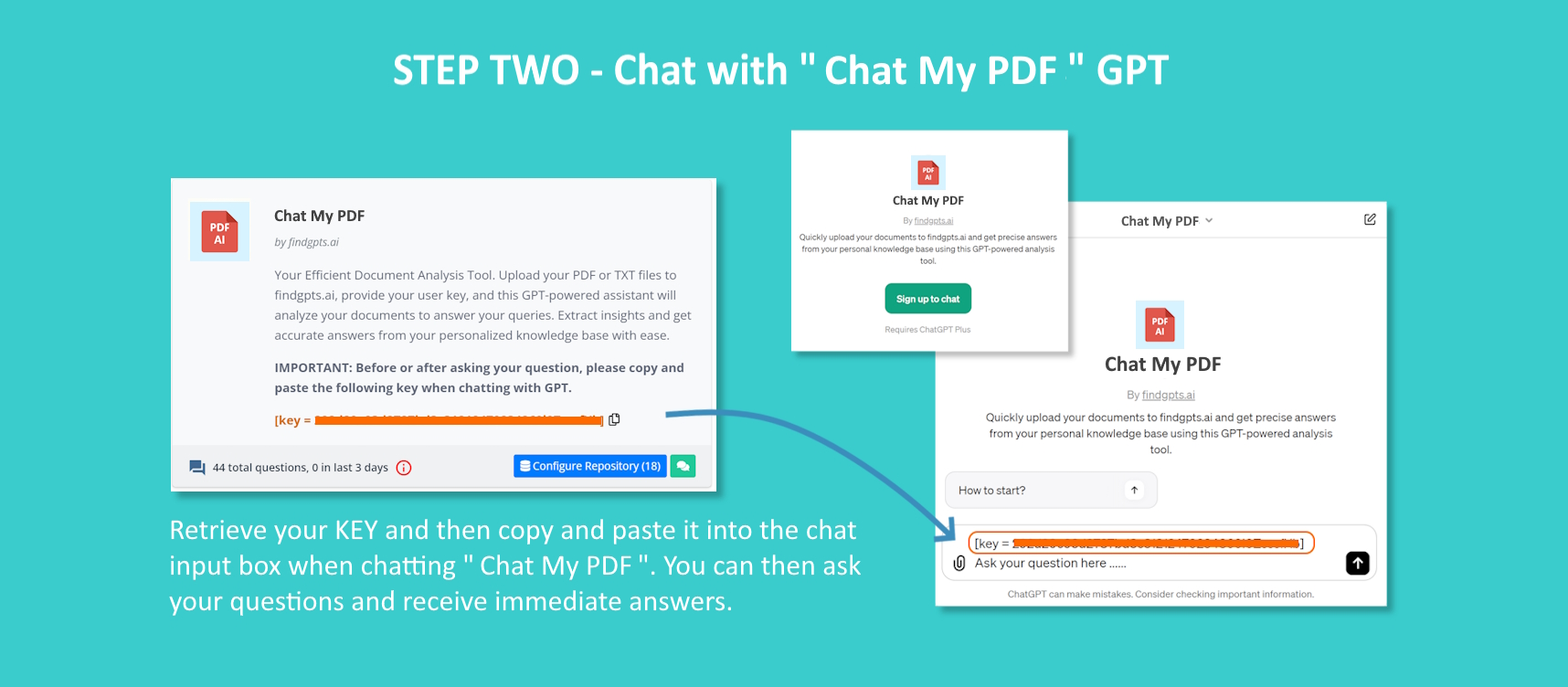
First, navigate to FindGPTs.ai and access the "CHAT MY PDF" section. Here, you can upload PDF or TXT files by dragging and dropping them onto the page. After uploading, you'll receive a key directly from the site. Make sure to copy and paste this key into your chat with GPT, either before or after submitting your question. Additionally, consider registering as a free member to unlock advanced features and create your custom dream GPT, which is powered by our API.
Here are images to guide you through the steps:
- Guidance Step 1:
- Guidance Step 2:
- Guidance Step 3: